 HomeLink Hub
Property Details
Everything on a listing page, from the photo gallery and agent card to reviews, sharing and the call-to-action states.
The property page is the hub of the tenant journey. It is public to read; requesting a tour, requesting payment, booking a stay and writing a review each ask the visitor to sign in first. The deeper flows that start here have their own pages: Tour requests and inspection payment, Booking and escrow payment and Messages.
Where it lives
| Route | View / component file | Access |
|---|---|---|
/app/property/:id | src/views/app/property-detail-view.tsx, which renders src/components/landing/property-detail.tsx | public; actions need sign-in |
| Photo slider, carousel, gallery | src/components/landing/property-image-slider.tsx, property-image-carousel.tsx, property-photo-gallery.tsx | public |
| Short-let booking card | src/components/landing/shortlet-booking-card.tsx | public; requesting needs sign-in |
| Share menu | src/components/share-button.tsx, src/utils/share.ts | public |
Before you start
- A valid listing id in the URL. Listings open from any card, a shared link, My Properties, the wishlist or an inspection.
- To act on the page the visitor must be signed in. No email-verification or KYC check is made in this app's code before any of the actions; if the backend requires one, its error message is shown.
Flow
What loads
| When | Request | Used for |
|---|---|---|
| On open | GET /api/v1/property/:id | The whole page |
| On open | GET /api/v1/property/:id/reviews?limit=10&page=1 | Review cards and count |
| On open | GET /api/v1/settings | Payment mode and fee percentages for the Pay Now dialog |
| On open, signed in only | POST /api/v1/property/:id/view | Records one view; errors are ignored |
| Every 15 seconds, signed in only | GET /api/v1/booking/property/:id/payment-request | The user's latest payment request or stay request for this listing |
| Short-lets only | GET /api/v1/property/:id/availability | Nightly price, stay limits and booked dates |
Reading the page, top to bottom
- Back returns to
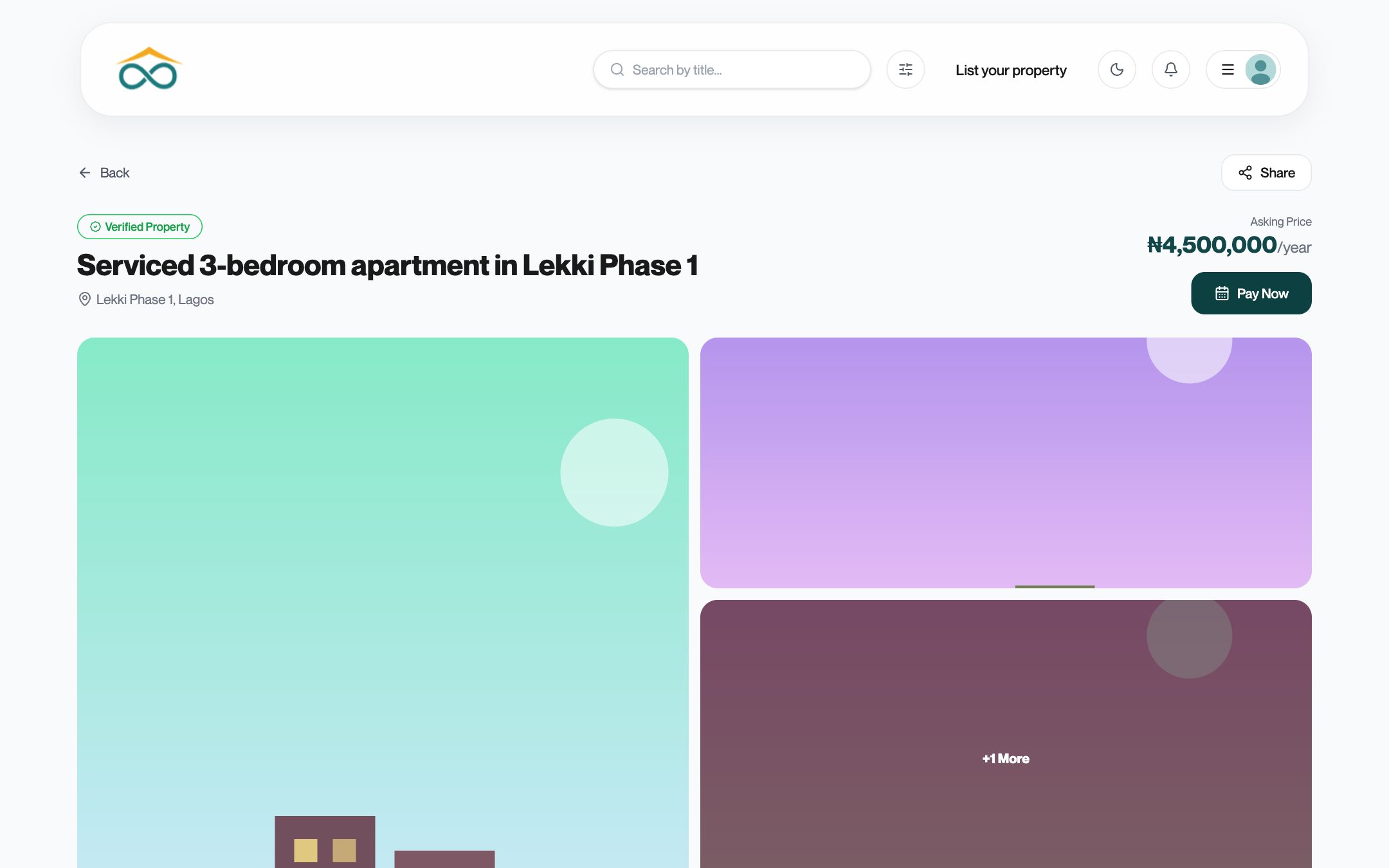
/app(not to the previous page). Share sits beside it. - Badges: Sold or Rented for long-term listings with that status, and Verified Property when
verification.isVerifiedis true. - Title and location (community, state).
- Price block.
- Rent or sale: "Asking Price" with the amount, followed by
/yearfor rentals. When the agent collects more than one year up front, a line reads "Agent collects N years up front" with the multi-year total. - Short-let: "Starting from" the nightly price with "Choose your dates in the booking card".
- Whether a listing is rent or purchase is derived from its pricing: sale price only means purchase, rent price only means rent, and if both are set it is treated as a purchase.
- Rent or sale: "Asking Price" with the amount, followed by
- Payment call to action (long-term listings), driven by the polled payment request:
| Latest request status | What the visitor sees |
|---|---|
| none | Request Payment button |
requested | "Awaiting Response…" (not clickable) |
confirmed | Pay Now button |
cancelled | Request Payment button and "Previous request was declined" |
| listing sold or rented | "This property has been sold" or "This property has been rented" |
- Photos. Phones get a swipeable one-at-a-time slider. Larger screens get a three-photo grid with an "N Photos" label and "+N More" on the third tile, and under it a strip of every photo labelled with its room tag.
- Stats bar: Bedrooms and Bathrooms (apartments, houses, villas and short-lets only), the area ("Plot size" for land, otherwise "Floor area") and Parking.
- About this property and Premium Amenities (the listing's amenity names).
- Right-hand card: for short-lets the booking card comes first. Then the agent card: name, "Property Owner" when the lister's role is landlord and "Property Manager" otherwise, and Verified Agent or Unverified Agent from the lister's KYC flag. Buttons: Request Tour (not shown for short-lets) and Message Agent (opens
/app/property/:id/message). Contact Details lists a phone number and website. - Trust & Verification: a landlord card ("Verified Landlord" when KYC-verified, with a star row) and a "Legal Clear" card.
- Location & Neighborhood: a Google map with a marker when the listing has coordinates, otherwise "Location not available", overlaid with up to three nearby places (a school, a shopping mall and a hospital within 3km, found through Google Places) with distance and an estimated drive time.
- User Reviews: overall rating, a label (Excellent from 4.5, Very Good from 4, otherwise Good), "Based on N reviews", the review cards and Write a Review.
Browse photos
- Clicking a photo in the grid (or tapping the slider) opens a full-screen gallery of every photo, grouped by room tag, with a card per room that jumps to its section and a share button. Untagged photos in a tagged listing are grouped as "Additional photos".
- Clicking a photo there, or a tile in the strip, opens the viewer: a counter such as
3 / 12, previous and next arrows (or a swipe on phones), the current photo's room tag, room chips that jump to the first photo of each room, and a thumbnail strip. - Closing the viewer returns focus to the same photo in the gallery.
Share a listing
- On touch devices Share opens the operating system's share sheet directly.
- Elsewhere it opens a menu titled "Share this property": Copy link (toast "Link copied", or "Couldn't copy the link"), WhatsApp, X (Twitter), Facebook, LinkedIn, Telegram, Email, and More options… where the browser supports native sharing.
- The shared link is the page's own URL,
/app/property/:idon the current origin, with the text "Check out this property on HomeLink Hub: TITLE, LOCATION". The preview that other apps show for the link comes from the server, see Link previews.
Write a review
- Click Write a Review. Signed-out visitors get the "Sign In Required" alert instead (see below).
- The dialog has Review Title (required), Rating (one to five stars, five selected by default) and Comment (required).
- Submit Review (reads "Submitting..." while busy) fires
POST /api/v1/property/:id/reviewswithpropertyId,title,ratingandcomment. - Success: the dialog closes, the form resets, the toast "Review submitted successfully!" shows and the review list is refetched.
- Failure: the server's message (or "Failed to submit review. Please try again.") shows in the dialog and as a toast.
Sign-in prompt
Clicking Request Tour, Request Payment, Write a Review or a short-let request while signed out opens an alert titled Sign In Required: "You need to be logged in to ACTION. Please sign in to your account to continue.", where the action is "request a tour", "request payment", "write a review" or "book a stay". Cancel dismisses it; Sign In opens the auth modal, and after signing in the visitor is still on the same listing.
States and edge cases
- Loading. A spinner with "Loading property details...".
- Error or unknown listing. "Error loading property details" with Go Back (to
/app). The page also adds anoindexrobots tag. - Browser tab. Set to "LISTING TITLE | HomeLink Hub" once the listing loads.
- Sold or rented. The payment area shows the sold or rented notice and Request Tour is disabled, reading "Property Sold" or "Property Rented". Short-lets are never treated as sold or rented.
- Guests are not bounced. The view-recording call is skipped for signed-out visitors precisely so an anonymous visit never triggers the 401 redirect to sign-in.
- No photos. A single stock photo is shown.
- Request status polling continues every 15 seconds while the page is open, so the button changes to Pay Now on its own shortly after the agent or landlord accepts.
Placeholder and unfinished pieces on this page
Several elements are static or not wired up in the code: Get Directions and Read all N reviews have no click handlers; Parking is always 0; the website under Contact Details is always the same fixed value and the phone falls back to a placeholder number when the lister has none; the "Legal Clear / Title Deeds Verified / Documented" card is fixed text for every listing; the nearby places show generic placeholders ("Nearest School", "Shopping Center", "Healthcare") until Google Places answers; the overall rating shows 4.5 when a listing has no rating yet; the New Listing and Hot Property badges are never set from API data. A leftover console.log prints the listing payload to the browser console.
What happens next
- Request Tour continues in Tour requests and inspection payment.
- Request Payment, the short-let booking card and Pay Now continue in Booking and escrow payment.
- Message Agent continues in Messages.
- A submitted review appears in the list after the refetch; the page does not show any moderation state.
Search and Browse
The hero search, the app home listing grid, the search results page with its filters, property cards and the map view.
Tour Requests and Inspection Payment
Requesting a property tour, tracking it under My Inspections, paying the inspection fee through Paystack and adding it to Google Calendar.